CodiBit
— Educational Robotics Board
ESP32-based educational microcontroller platform with a MicroPython API, designed for teaching programming and physical computing. Similar in concept to the BBC micro:bit, CodiBit combines an LCD display, motion sensors, wireless connectivity, and edge I/O pins accessible to students of all levels.
Metadata
Tech Stack
Hardware
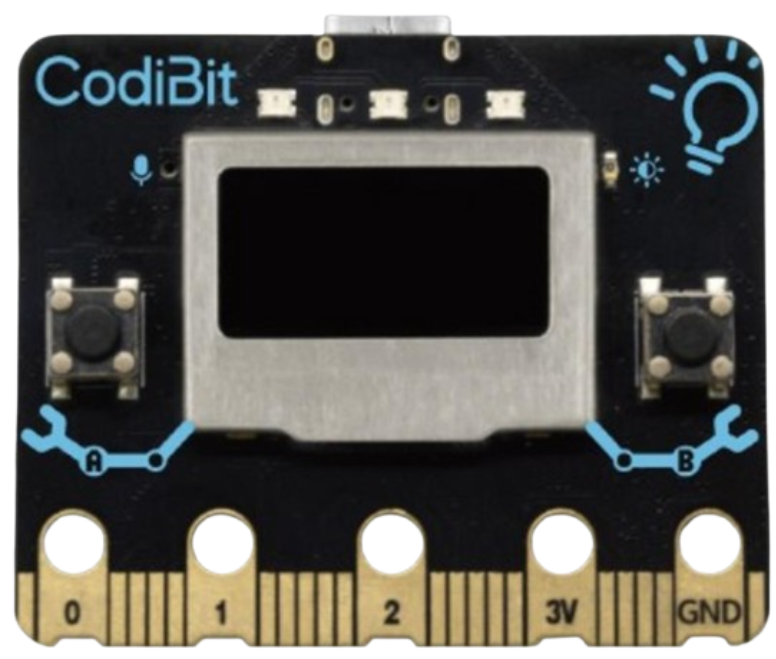
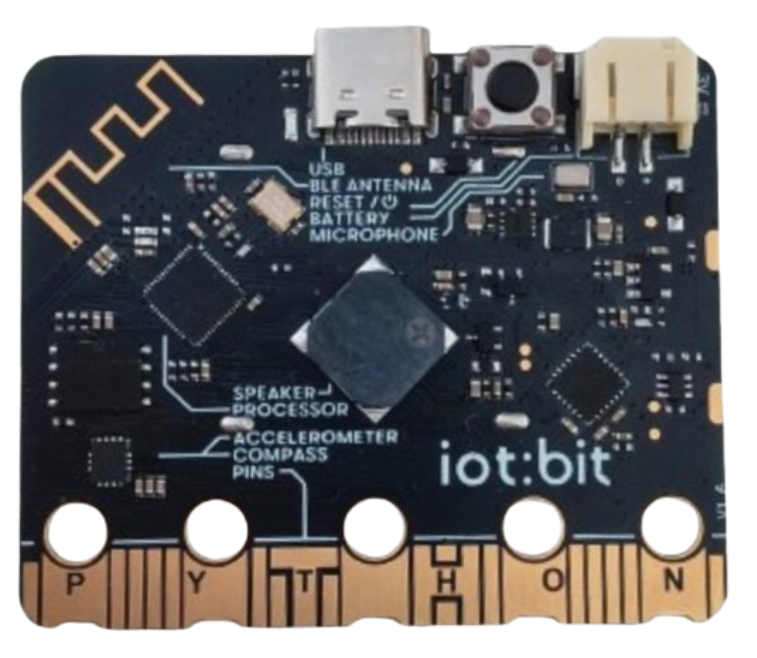
On-Board Peripherals
- check_circle LCD display (centre front)
- check_circle Buttons A and B
- check_circle Alligator-clip I/O pins: 0, 1, 2, 3V, GND
- check_circle Microphone & buzzer
- check_circle Accelerometer & compass
- check_circle BLE wireless
- check_circle USB-C (power & programming)
- check_circle Battery connector
MicroPython API
CodiBit exposes a clean Python API for all on-board peripherals. Students interact with the board through the same high-level abstractions regardless of whether they write code directly or use the CodiEditor block environment.
from codibit import *
import time

# React to button presses and gestures
while True:
    if button_a.is_pressed():
        display.show(Image.HEART)
        buzzer.play_sound(Sound.SUCCESS)

    elif button_b.is_pressed():
        display.show(Image.SAD)
        buzzer.play_sound(Sound.ERROR)

    if accelerometer.was_gesture("shake"):
        display.show(Image.HAPPY)

    if accelerometer.was_gesture("up"):
        display.show(Image.ARROW_N)

time.sleep(0.1)[INIT] ESP32 booting... MicroPython firmware loaded.
[OK] LCD display initialised at SPI bus.
[OK] Accelerometer + compass online.
[OK] BLE advertising started.
[INFO] CodiPlay educational platform · Abu Dhabi, UAE
[ROLE] Robotics Engineer — development & platform improvement.
> Ready for MicroPython input_